The architecture of an outdoor fitness app for Saudi Arabia, designed with the 4+1 View Model.
From the problem Intaliq solves to the architecture behind it, the design patterns that shape the code, and how we validated the design.
Few tools accurately track how active people are outdoors.
Many struggle to find someone to join their preferred activity.
Large, professionally led group events are hard to find in Saudi Arabia.
Physical activity is key to reducing chronic disease — Intaliq helps citizens adopt a more active, healthier lifestyle.
Intaliq is a mobile fitness app. Users track daily activity, set goals and join group sessions held daily by a trained team of coaches, through a simple design that makes outdoor activity feel less intimidating.
Guide users through outdoor activities in Saudi Arabia with an easy-to-use interface.
Provide reliable tools for monitoring activity and setting activity goals.
Connect people across Saudi Arabia who share an interest in outdoor activity.
A smartphone app that raises the accessibility, motivation and social side of outdoor fitness through tracking, connections and organised sessions.
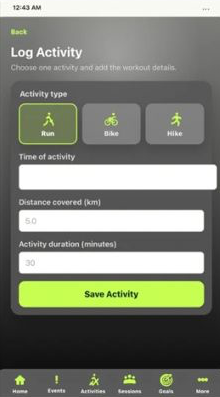
Log daily outdoor activities and track improvement.
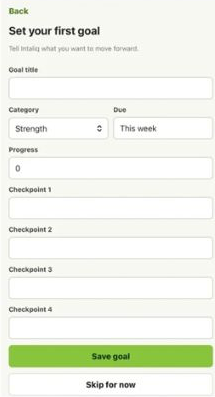
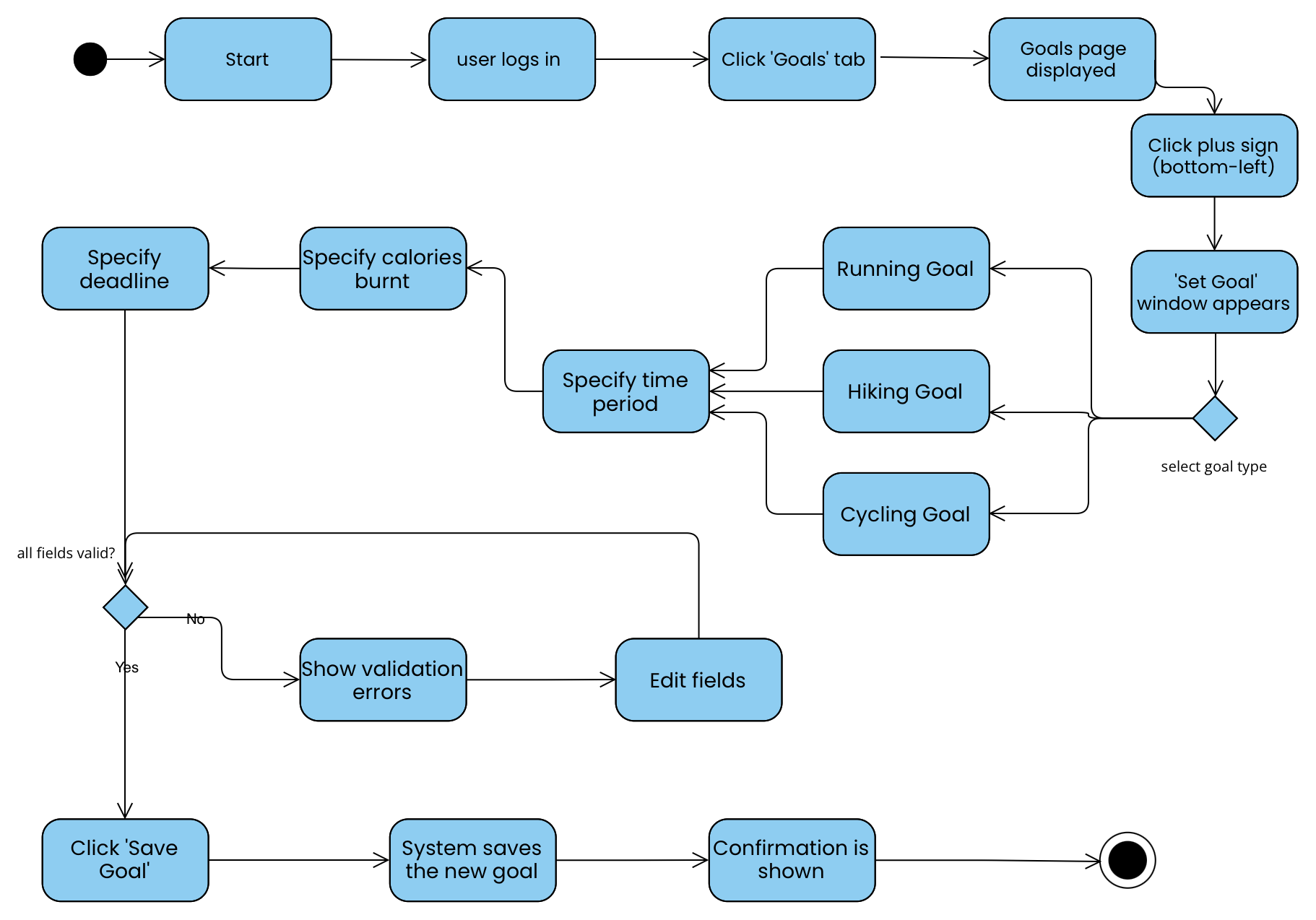
Set and adjust activity goals to monitor progress.
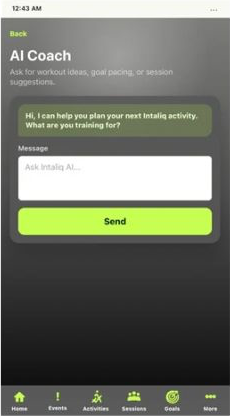
Chat with an AI chatbot for an overview or goal tweaks.
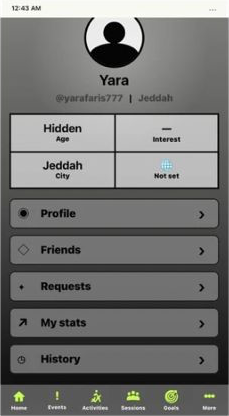
Chat and pair up with partners to stay motivated.
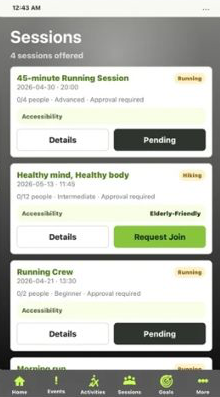
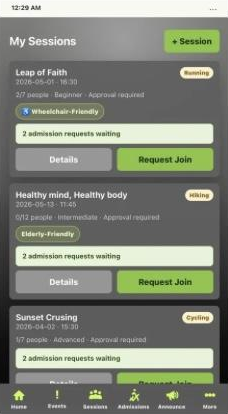
Running, hiking and cycling crews hosted by Intaliq coaches.
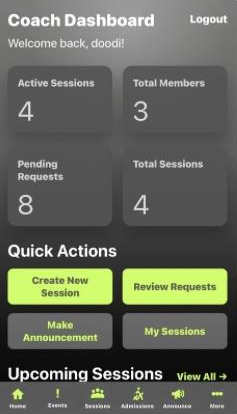
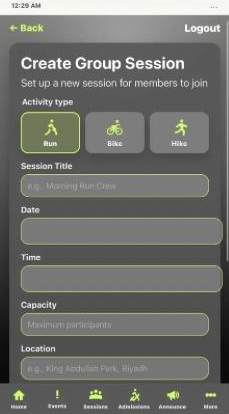
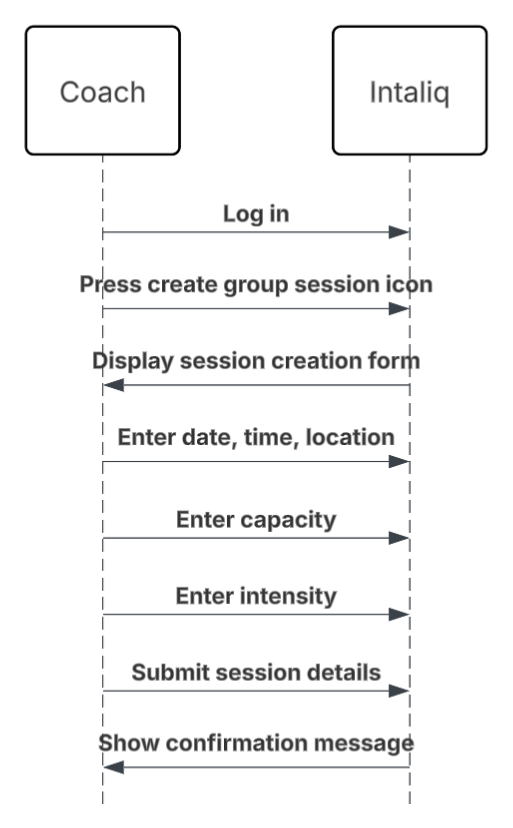
Create and schedule new group sessions.
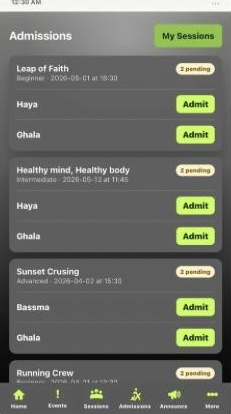
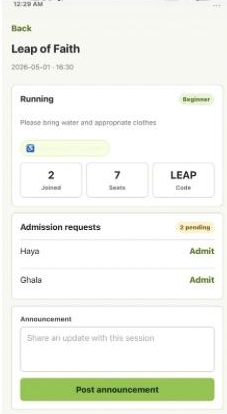
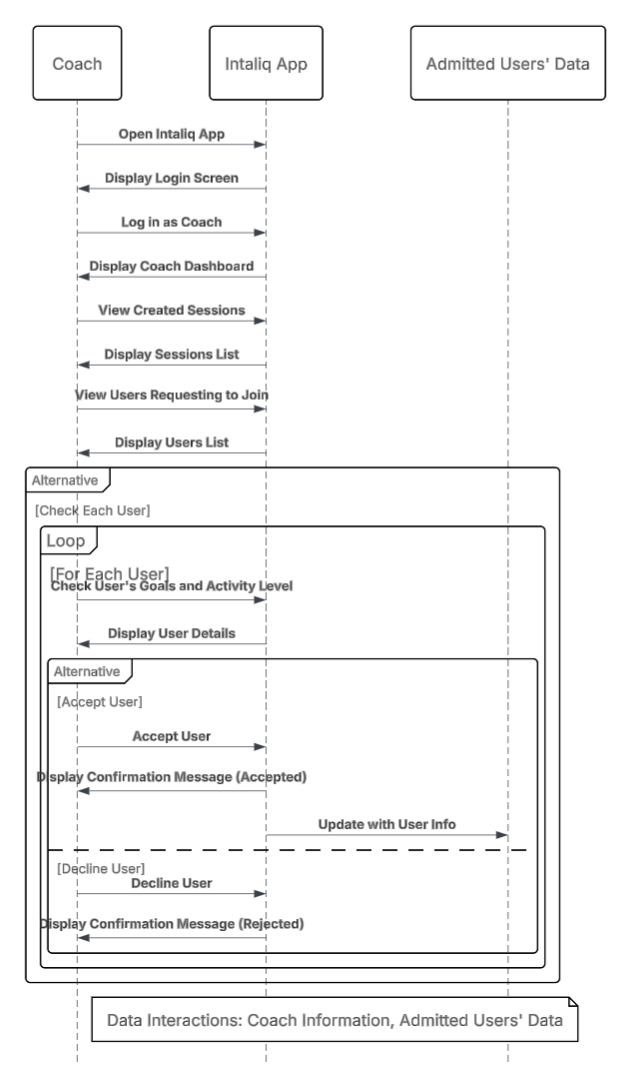
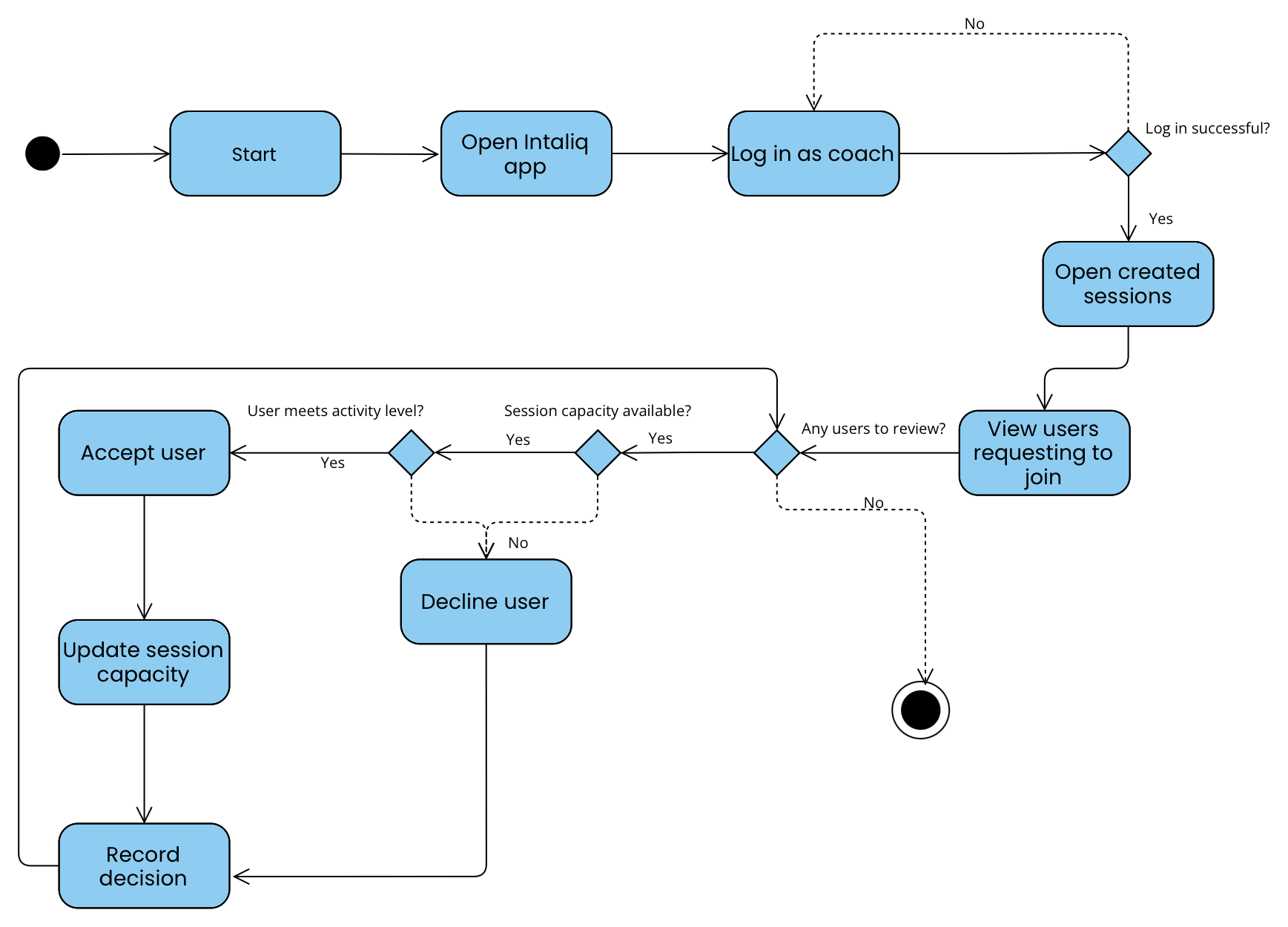
Accept applicants whose goals and level match the session.
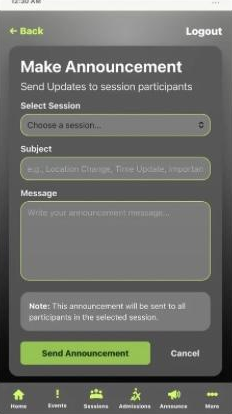
Notify members ahead of time about session changes.
Philippe Kruchten (1995). Users, coaches and developers each see Intaliq differently, so the architecture is split into four views, tied together by scenarios — the “+1”.
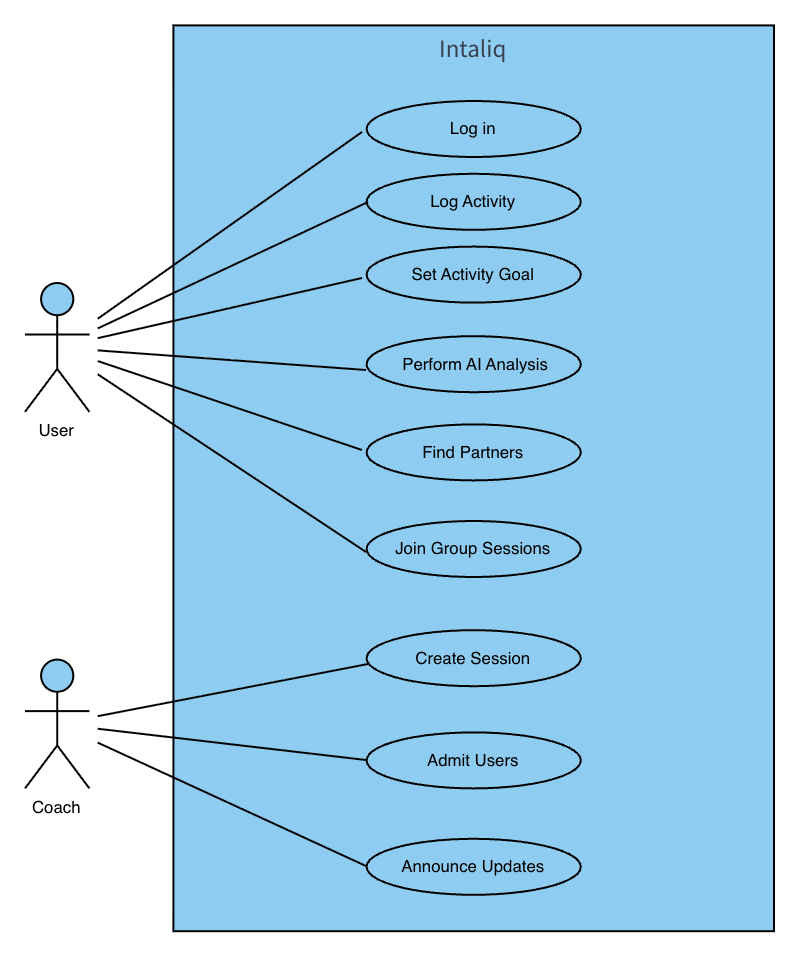
Use-case diagram and three scenarios
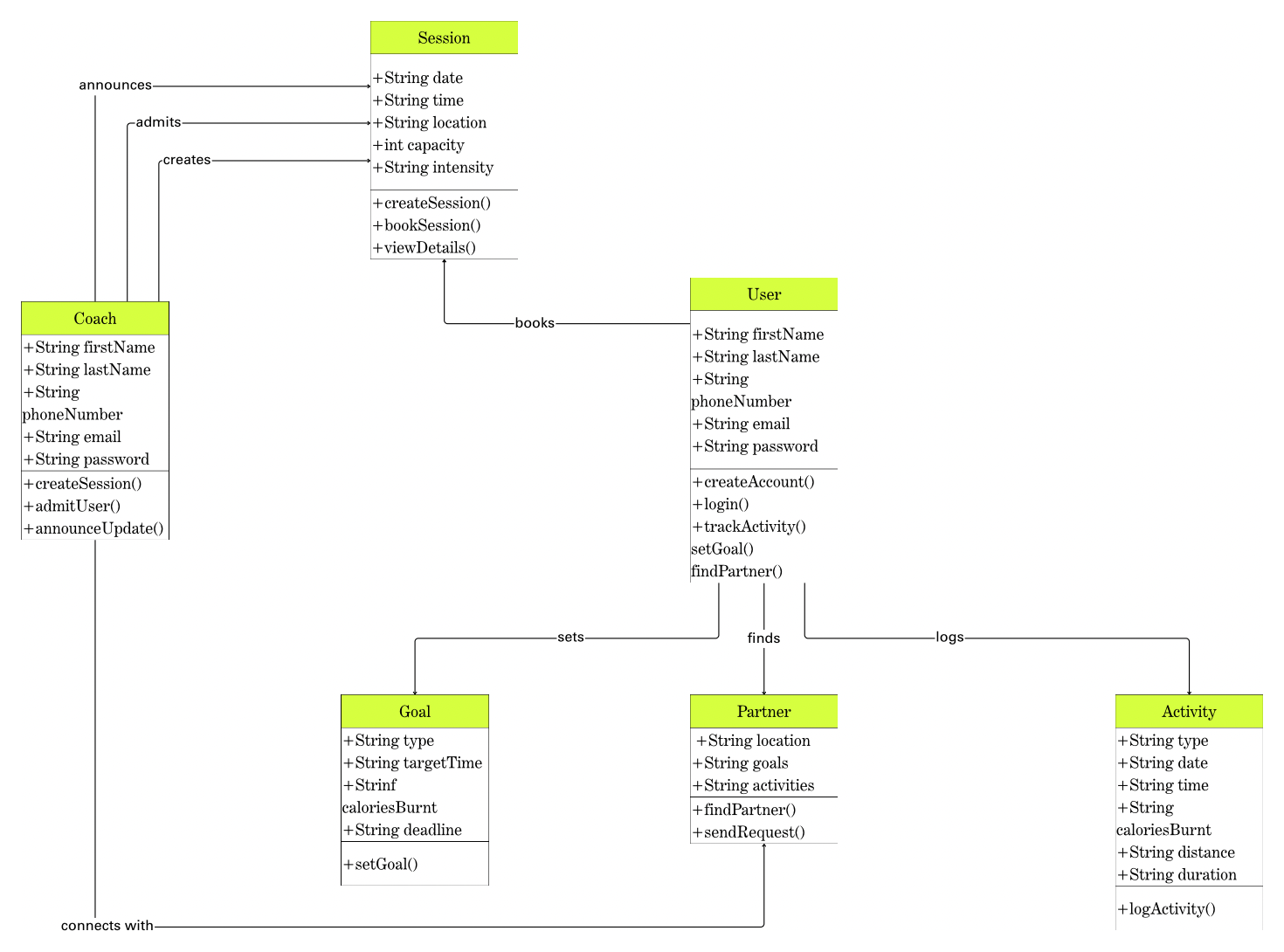
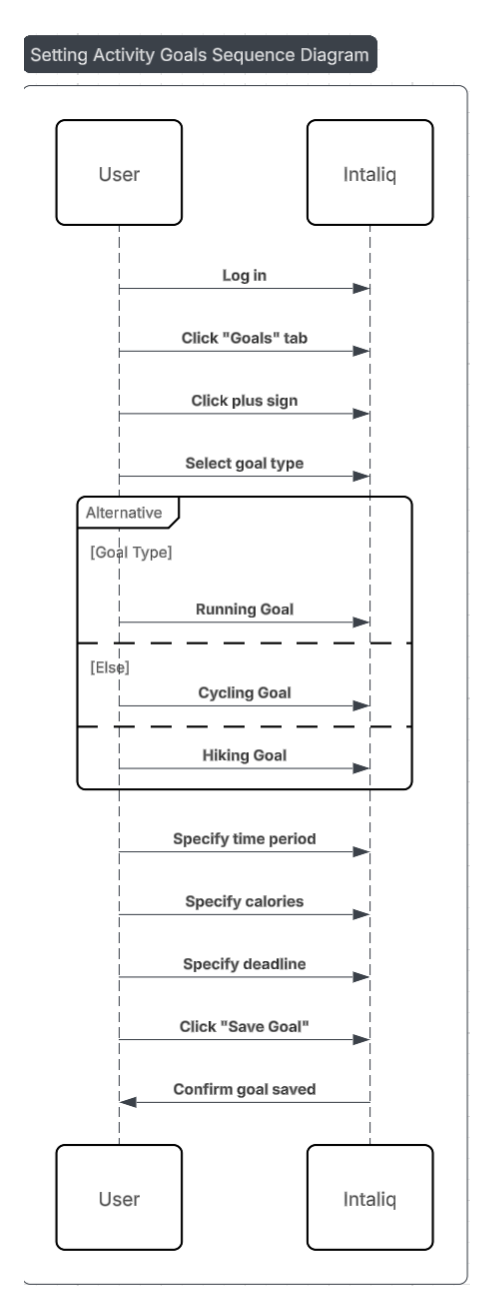
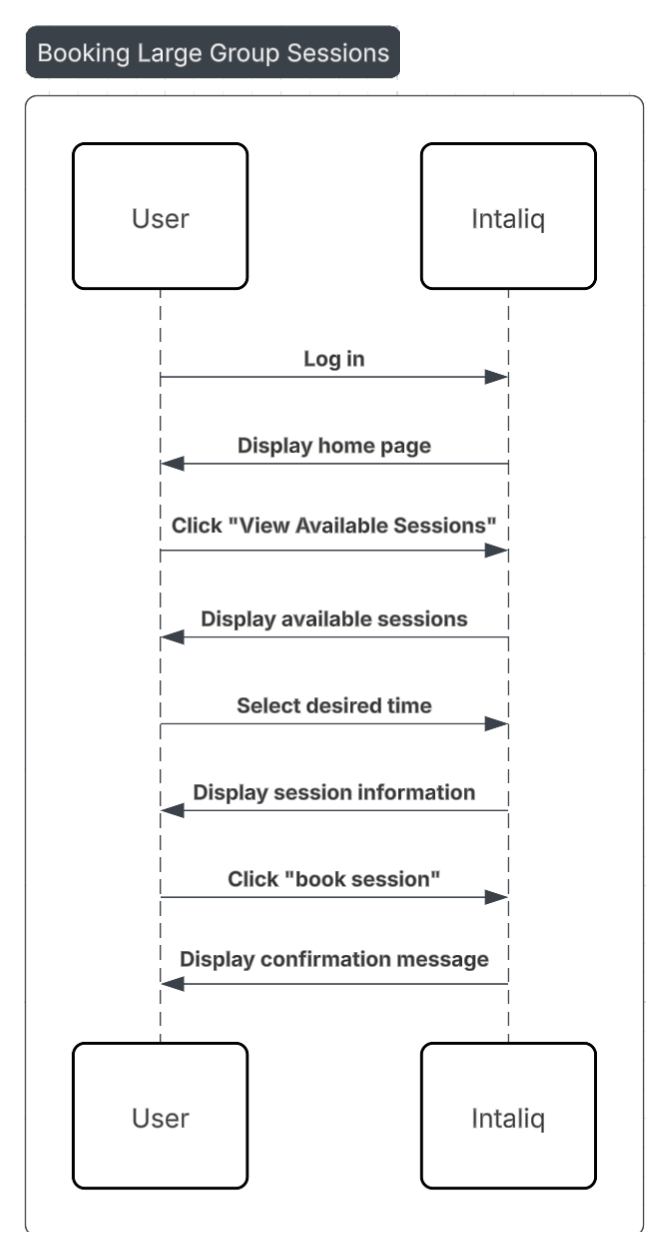
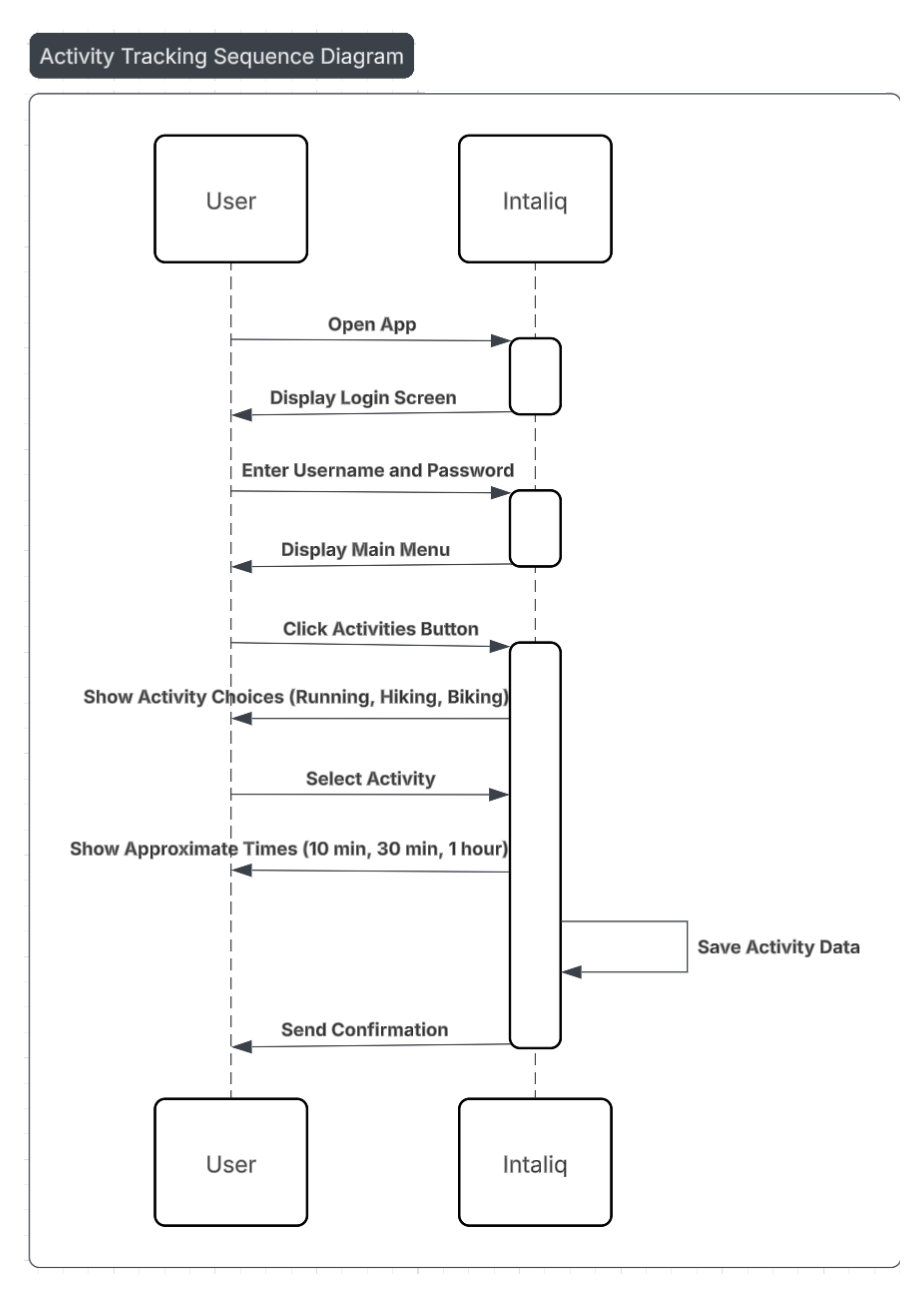
Class diagram and five sequence diagrams
Two activity diagrams — user and coach
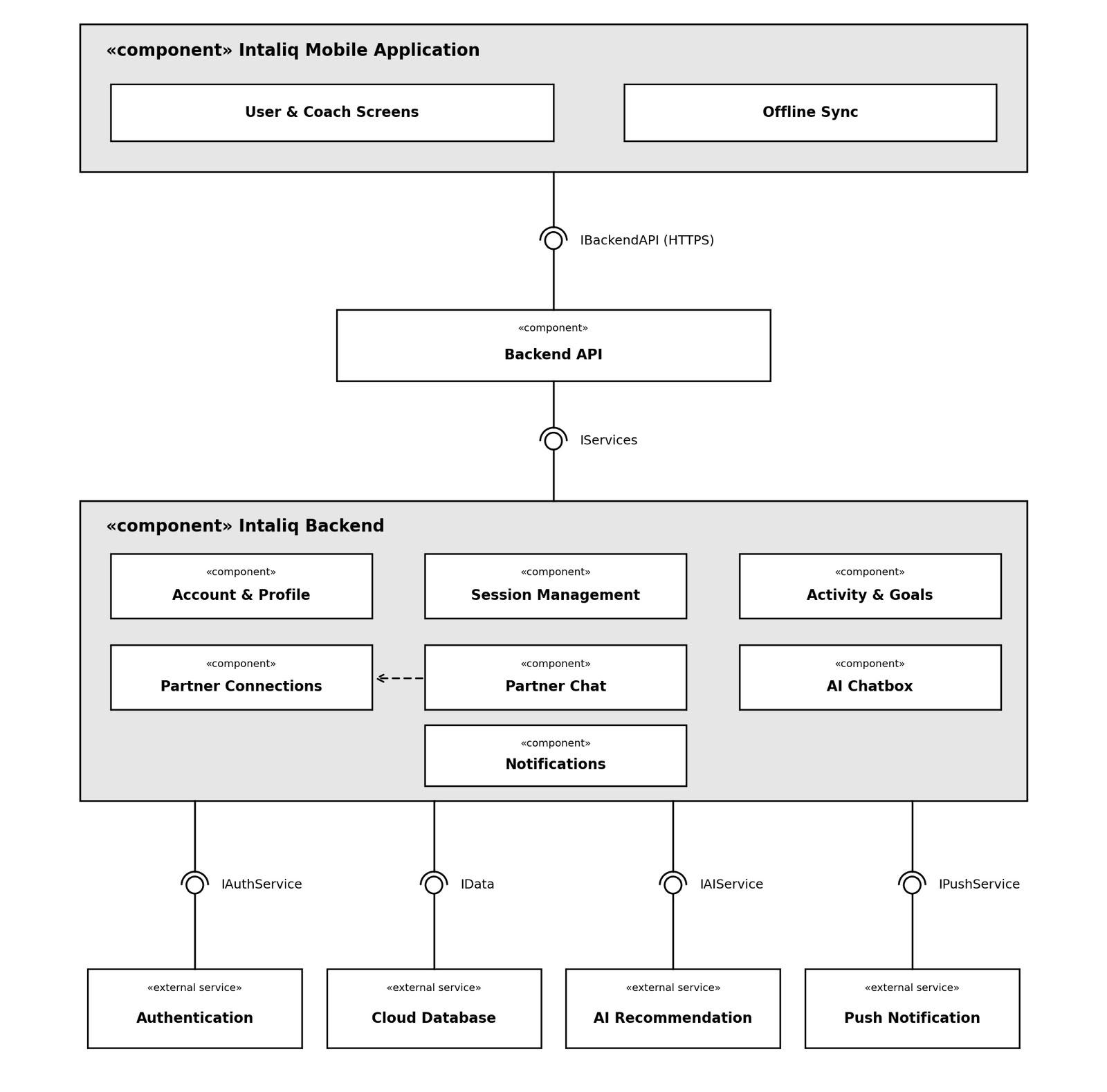
Component diagram with interfaces
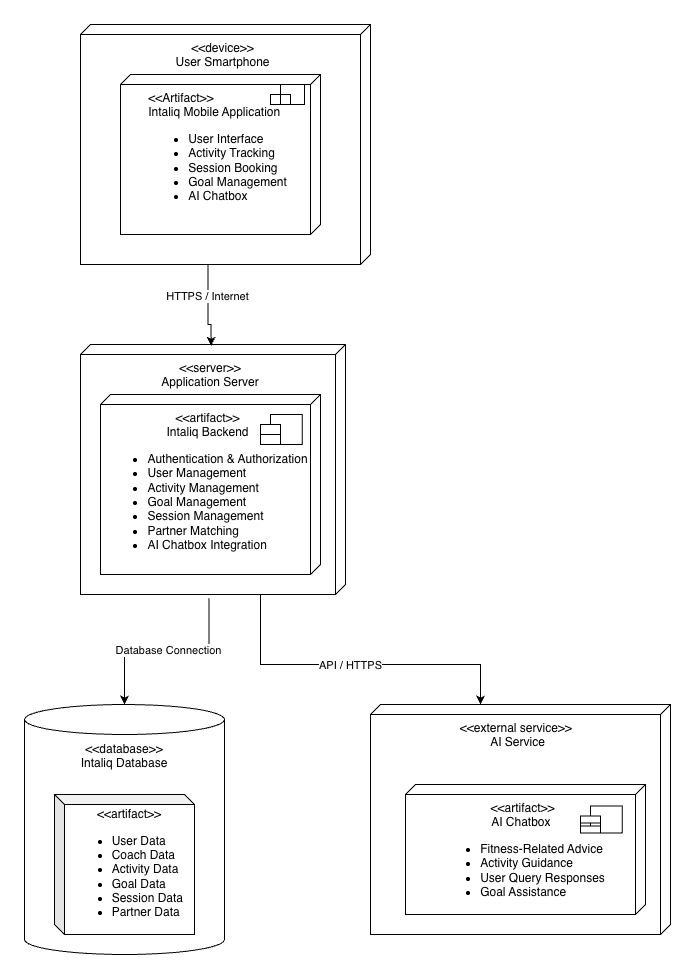
Deployment diagram — device, server, database, AI
Encourage Saudi citizens to be active and connect through sport, without friction.
Keep user information safe — its integrity and its confidentiality.
JavaScript, building on the prototype stack: HTML, CSS, Vite, Supabase, Vercel.
Four fixed milestones between 30 Sep and 4 Nov 2026.
Limits the services and hosting the app can rely on.


User
User selects and books a session
Request submitted; user added if the coach accepts, notified if not
User
User sends a query in the AI chat
The AI answers and suggests further help
User
User enters an activity goal
The system confirms the goal has been saved
creates, admits into, announces
books a group session
sets goals, logs activities
find and connect with partners
Click any diagram to open it full screen.


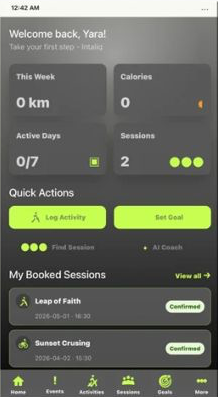
User & coach screens, plus Offline Sync, which holds actions until the device is back online.
Account & profile, sessions, activities & goals, partner connections, partner chat, AI chatbox and notifications.
Authentication, cloud database, AI recommendation and push notifications — each behind its own interface.
Runs the Intaliq mobile app: UI, tracking, booking, goals, AI chat.
Intaliq backend: auth, users, activities, goals, sessions, matching.
User, coach, activity, goal, session and partner data.
Fitness advice, activity guidance and goal assistance.
Accounts, logs and personal goals are private. Every user and coach is authenticated and limited to their own functions.
Users rely on the app to track, book and connect. Failures are reported, and Offline Sync holds actions until reconnection.
Checking sessions, logging activity and recording goals should happen without noticeable delay.
The goal is motivation: every feature is reachable without complex steps, with alerts confirming each action.
An unauthorised user
Authentication & authorization component
Normal system operation
of unauthorised attempts in the security test cases rejected
A user whose internet connection fails
Mobile app & Offline Sync component
App running without internet access
of queued test activities sync after reconnecting, with no data loss
An authenticated user
Mobile app, backend API & database
Normal operation, active connection
of session-list requests complete within 3 s under normal load
A new Intaliq user
Mobile app user interface
Normal app operation
of first-time test users create a goal without assistance
The mobile app is the client. One backend handles authentication, business logic and every call to the database and the AI service.
Users, actions, goals and sessions controlled through one backend and database.
Authentication and authorization enforced on the server.
App and backend evolve independently.
Heavy processing stays on the server; the app focuses on the user.
Clean exchange with third-party services such as the AI chatbox.
End users, coaches, developers, testers and maintainers each need something different from the design.
Add new activity types without changing existing code
Get timely updates about sessions and booking decisions
Use external services without depending on one provider
Test each part of the system on its own
Keep personal data secure

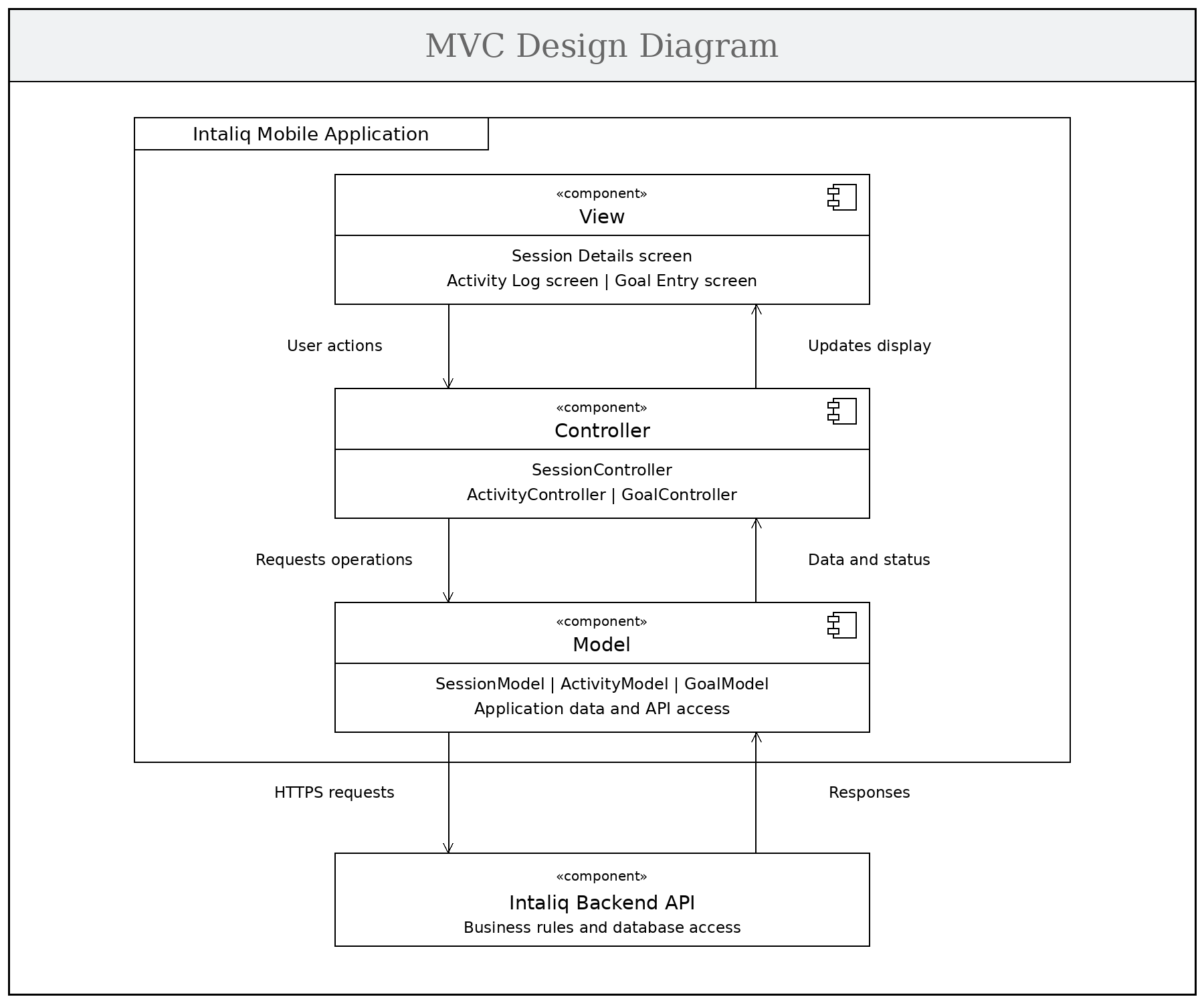
View shows screens, Controller handles actions, Model holds data and calls the backend API — easier to maintain, extend and test.
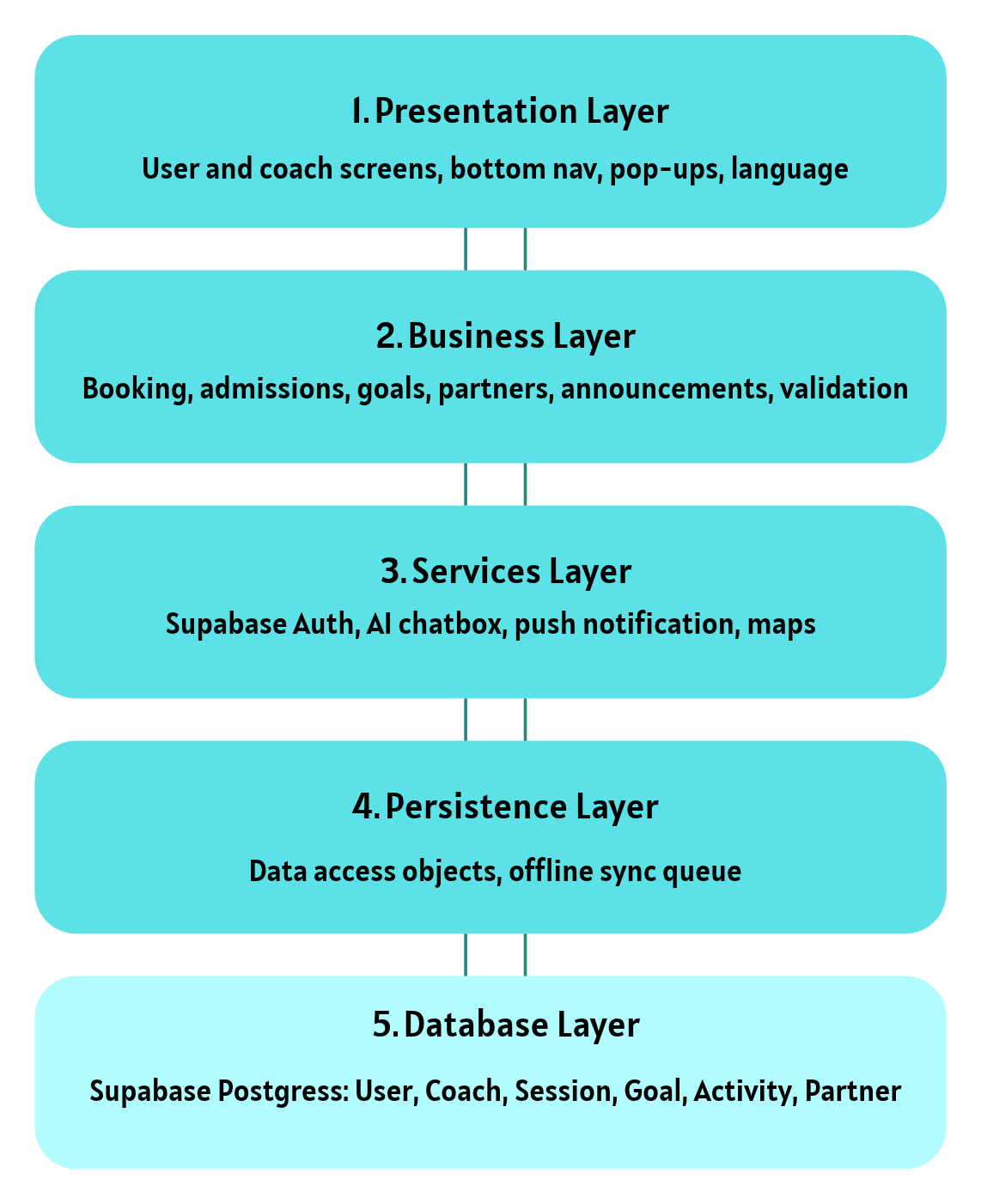
Each layer talks only to its neighbour, so changes stay local, the database is reached only through the layers above it, and each layer is tested alone.
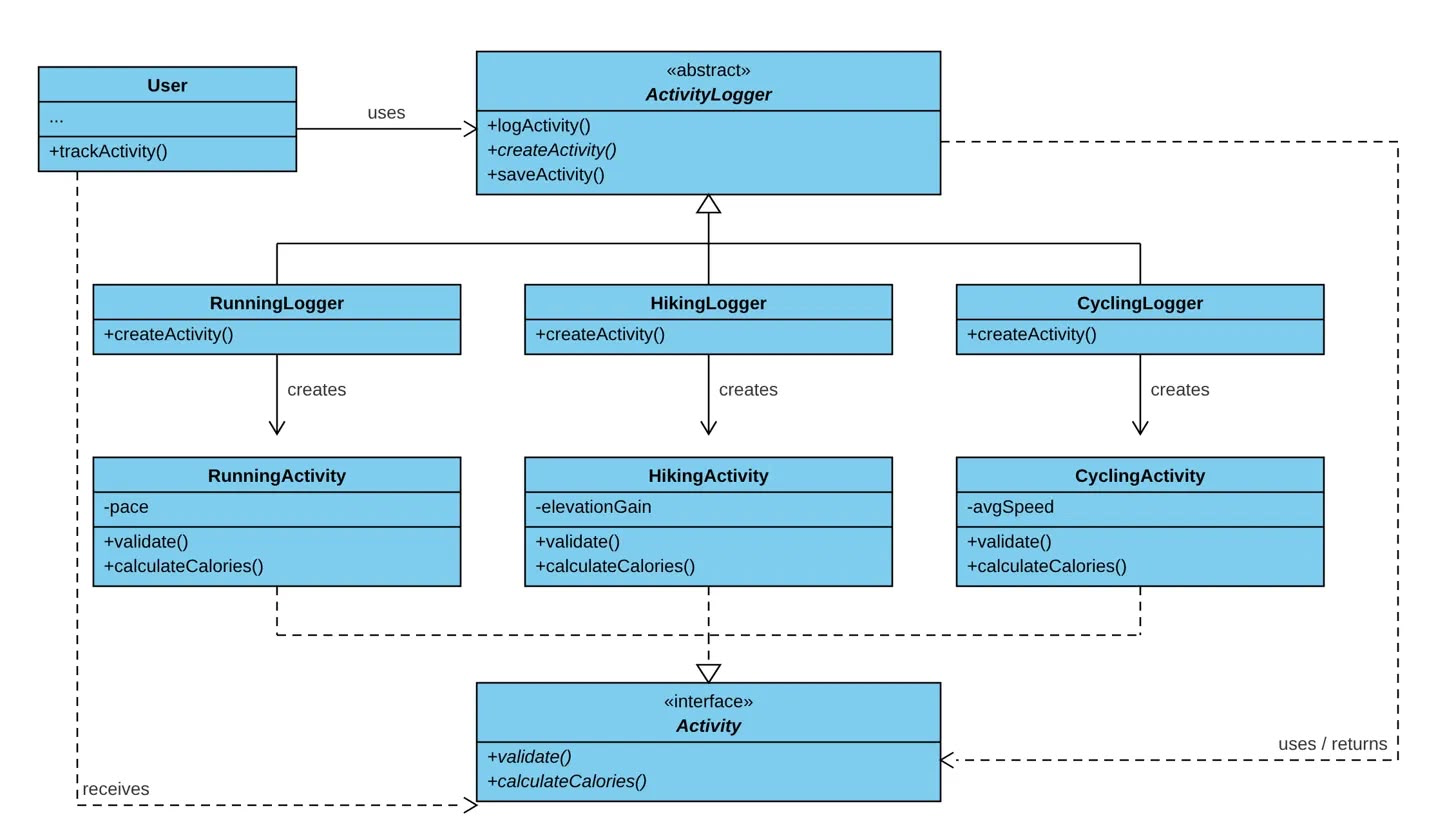
RunningLogger, HikingLogger and CyclingLogger each override createActivity(). Pick hiking, and the HikingLogger builds a HikingActivity that the logging process uses without knowing its type.
Every activity is validated and saved the same way but counts calories differently. A new sport such as padel only needs its own logger and activity class — nothing else changes.
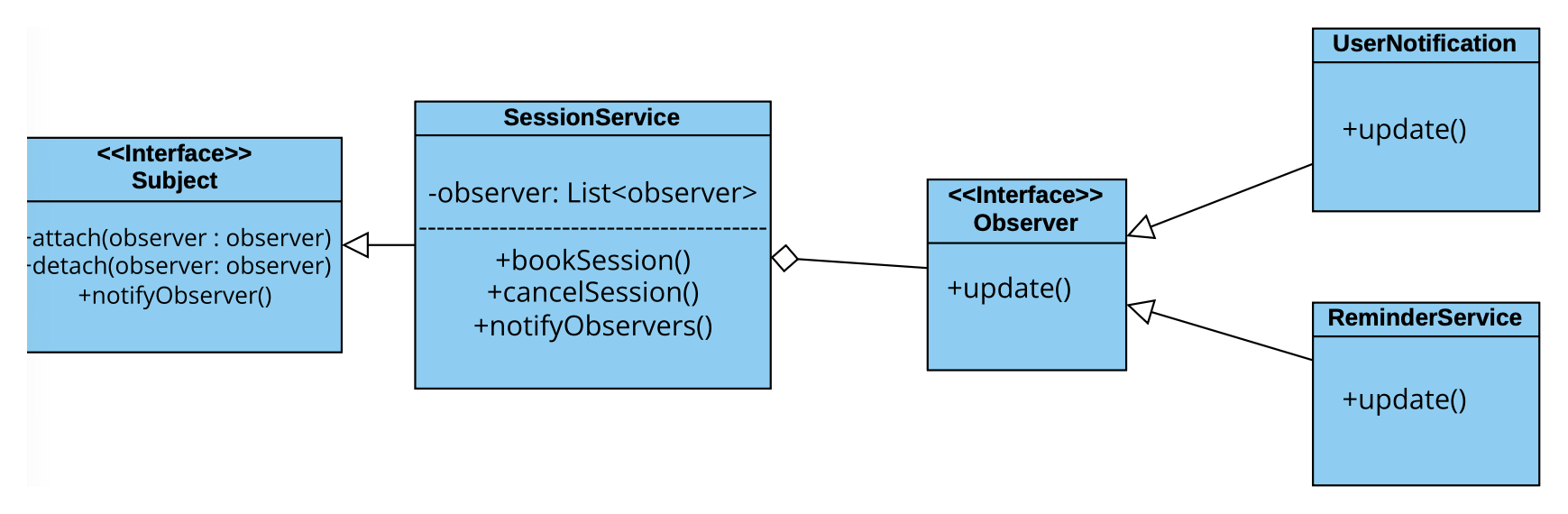
SessionService is the subject; UserNotification and ReminderService observe it. When a class is cancelled, each observer reacts on its own — one alerts the user, the other reschedules reminders.
Announcements reach every admitted member, and booking decisions reach the requester (Book a Session). Session never handles delivery, so new channels such as email plug in without changing it.
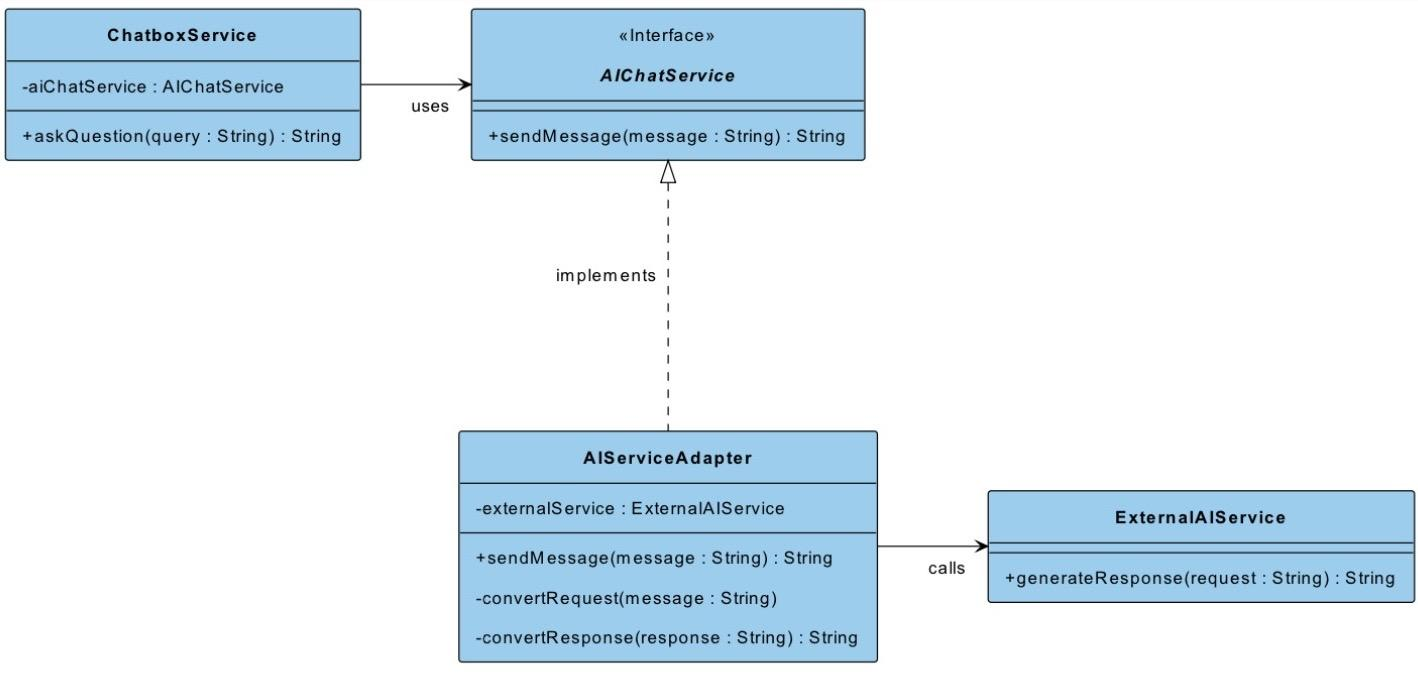
ChatboxService only calls AIChatService.sendMessage(). AIServiceAdapter converts the question into the external service's format, sends it over HTTPS, and converts the answer back.
Provider-specific formats stay out of the chatbox logic. If the external API changes, only the adapter changes; switching provider means writing a new adapter.
Every 4+1 view traced to SRS features FR-01 – FR-07
DoneSE365 prototype usability findings folded into design decisions
DoneTrade-off: security checks vs. unaided first-time goal creation
DonePeer review of views and patterns with the instructor
Done