/ARCHITECTURE /PROCESS VIEW
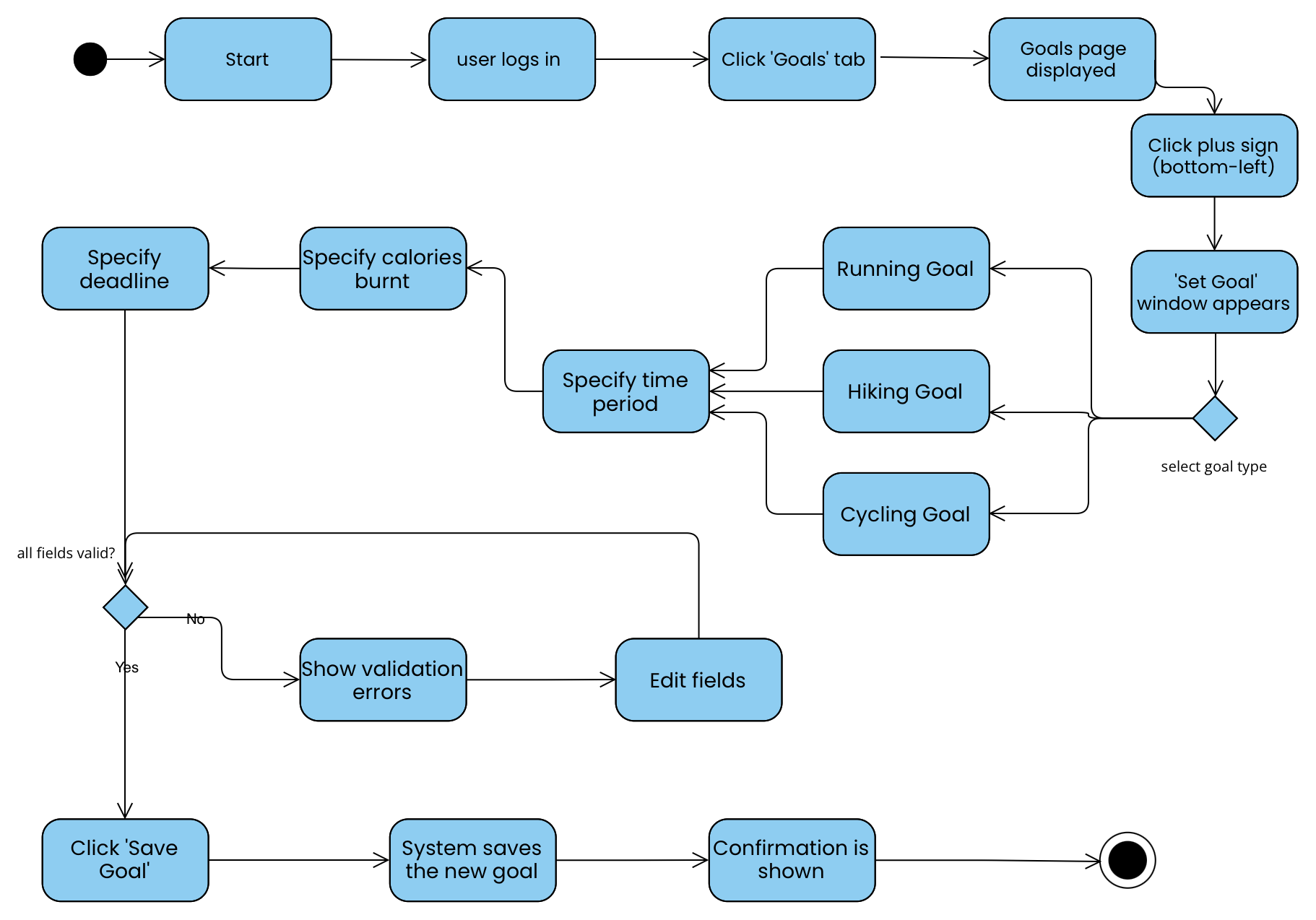
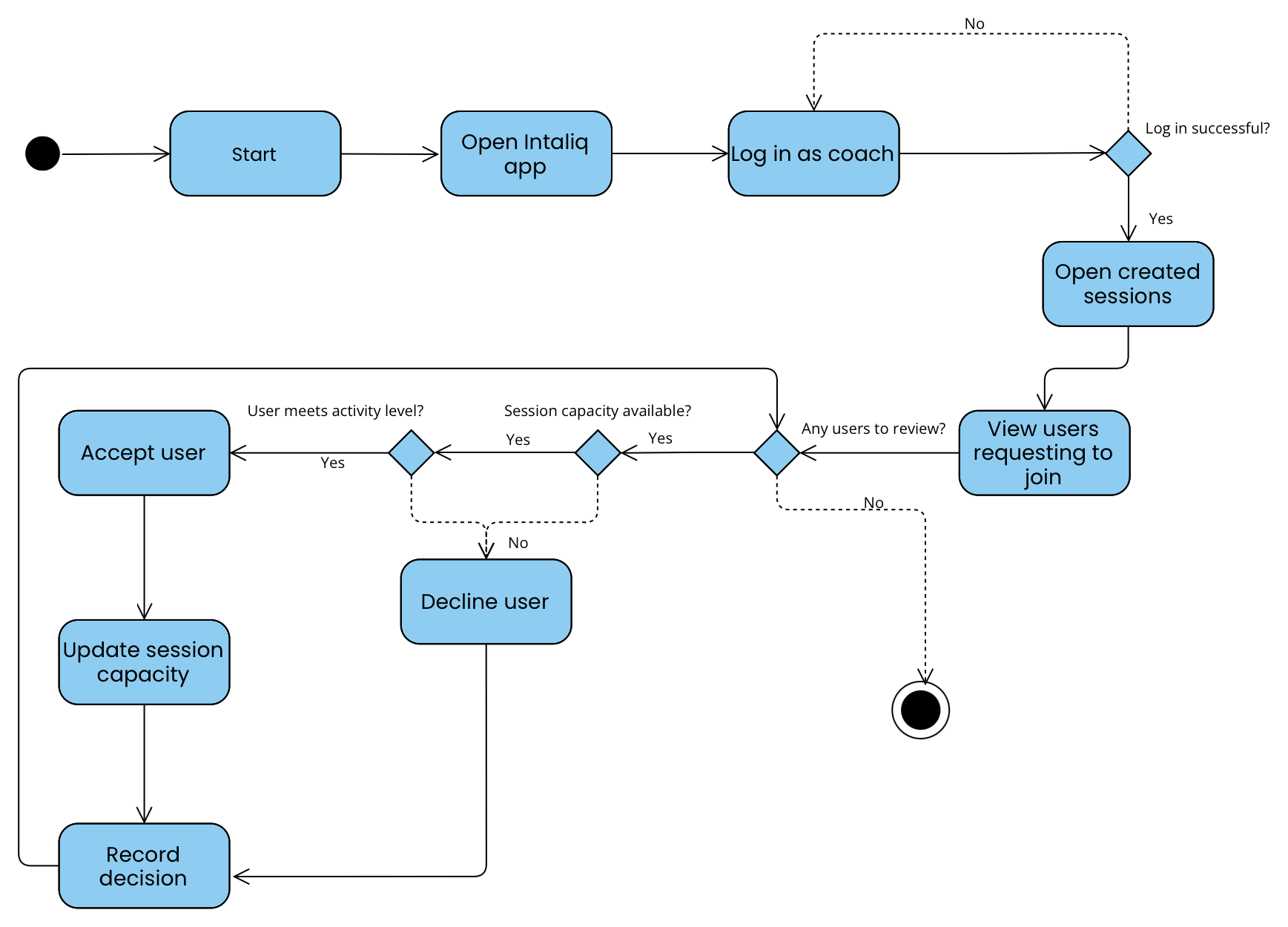
The Process View shows how Intaliq behaves at runtime: requests from the mobile app to the backend, notifications pushed to users and coaches, offline actions synced later, and scheduled data clean-up. It also covers how the design handles concurrent bookings, response-time targets and lost connections.
Runtime Processes
Triggered when a user submits a join request or a coach accepts or rejects one. The app calls the backend over HTTPS; the backend validates login, checks capacity and fitness-level match, updates the request status and member list, and returns a confirmation or error pop-up.
Triggered by booking decisions, partner request updates, coach announcements and goal reminders. Events are handed to the push notification service (SI-4) and email (CI-3) so the user's request does not wait for delivery.
When the connection returns, the app syncs actions it stored locally, such as activity logs and partner requests (CI-4, CI-5). A scheduled policy also permanently deletes passively deleted data after the retention period and clears AI chat inputs after each session (SRS Section 4.4).
Concurrency & Communication
Communication Style
The mobile app uses HTTPS request/response calls to the cloud backend (CI-1) over Wi-Fi or 4G/5G (CI-2). Notifications and emails are sent asynchronously through external push and email services, so user actions are never blocked by delivery.
Synchronization
Session capacity is shared by concurrent join requests and coach admissions. The capacity check and member-list update must happen together in one step (for example, a single database transaction) so a session is never over-filled, and repeated offline syncs must not create duplicate records.
Performance & Fault Tolerance
Targets: results within 3 s (PER-1), statistics within 4 s (PER-2), server responses under 5 s (CI-6), and 99% availability (REL-1). When the connection drops, the app stores unsent actions locally and retries on reconnect. On a system error the action is not saved and the user is told.